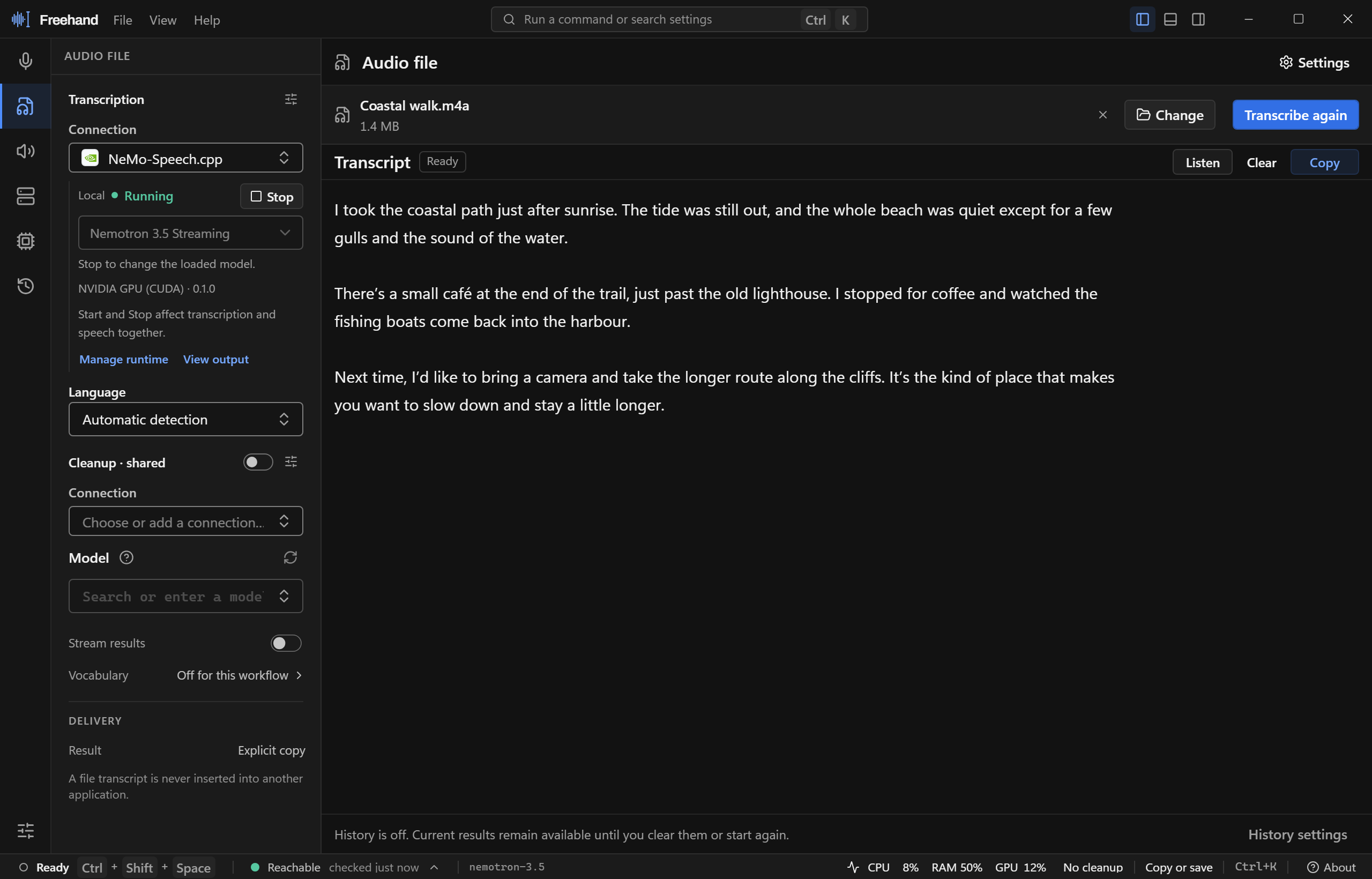
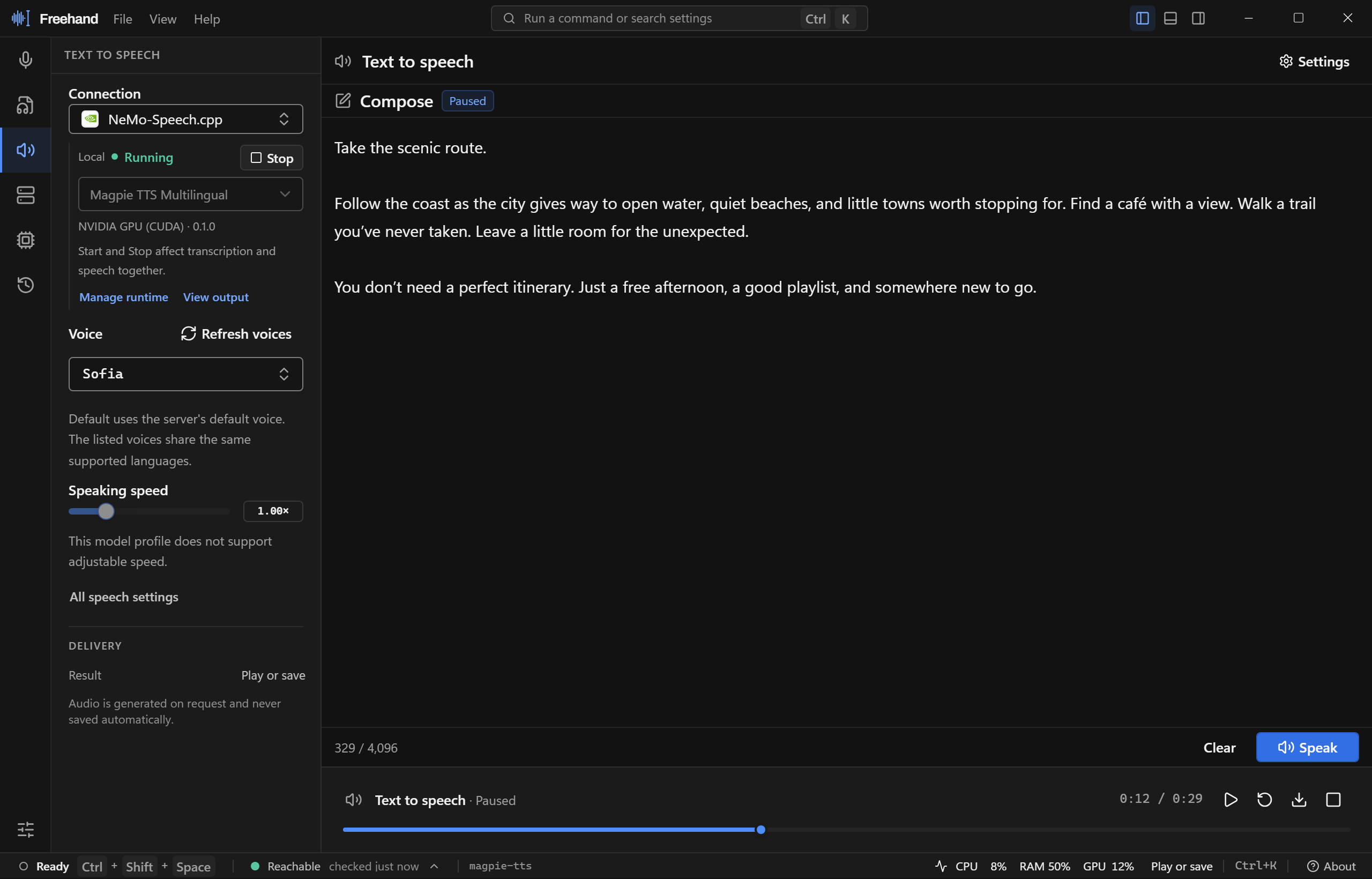
Audio file · Interface preview with sample dataText to speech · Interface preview with sample data
Run locally, set up in Freehand
Install NeMo for Nemotron or Parakeet transcription, with optional MagpieTTS speech in the same runtime. Add llama.cpp with S1-mini for English cleanup. Windows also supports managed whisper.cpp.
Use an existing server on this computer, on your network, or with a hosted provider. Choose each task’s connection independently, or share a server that supports several tasks.
Choose connections independently for Voice, audio files, cleanup, and speech generation. Keep them together in one workspace with task sidebars and a shared output panel.
Dictate into an app with a shortcut, or select an audio file and copy the result. Use completed transcription or live dictation with a qualified model.
Process completed transcripts with a separate chat model. Use custom instructions or S1-mini’s English controls; raw text remains the fallback if cleanup fails.
Your installed release may have fewer profiles than those listed here. Capabilities depend on the server version and model profile →
Native desktop integration
Global shortcuts, microphone capture, and a passive status overlay. Dictation is delivered only while the original app and window remain valid and focused; otherwise the result stays ready to copy.



'%3e%3cpath%20class='st0'%20d='m%201163.3,226.8%20-13.5,24%20c%20-17.8,-13.7%20-44.2,-15.7%20-62,-1%20-28.7,23.7%20-26.7,78.5%2018,78.8%2012.5,0%2023.1,-5.9%2034.5,-9.8%20l%206,23.9%20c%20-10.1,4.7%20-20.4,9.5%20-31.5,11%20-101.2,13.8%20-95.4,-132.3%20-3.9,-139.9%2019.2,-1.6%2036.1,3.4%2052.5,13%20z'%20/%3e%3cpath%20class='st0'%20d='m%201093.4,203.8%20c%20-15.4,4.6%20-29.7,13.1%20-40.5,25%20-2,-24.2%203.4,-73.1%2030.3,-82.7%204,-1.4%2017.7,-4.9%2017.3,2.2%20-0.4,7.1%20-9.9,19.3%20-12.2,25.9%20-4,11.6%20-0.3,19.6%205.2,29.7%20z'%20/%3e%3cpolygon%20class='st0'%20points='1131.4,307.8%201116.4,307.8%201116.4,290.8%201099.4,290.8%201099.4,276.8%201114.9,276.8%201116.4,275.3%201116.4,258.8%201131.4,258.8%201131.4,276.8%201147.4,276.8%201147.4,290.8%201131.4,290.8%20'%20/%3e%3cpolygon%20class='st0'%20points='1186.4,290.8%201186.4,307.8%201171.4,307.8%201171.4,290.8%201155.4,290.8%201155.4,276.8%201171.4,276.8%201171.4,258.8%201186.4,258.8%201186.4,275.3%201187.9,276.8%201203.4,276.8%201203.4,290.8%20'%20/%3e%3cpath%20class='st0'%20d='m%201142.3,156.9%20c%202,3%20-9.3,15.9%20-11.1,19.2%20-5.2,9.8%20-1.7,15.4%202.2,24.7%20-11.3,-1.7%20-21.8,-0.3%20-33,1%202.5,-21.5%2014.6,-52.8%2041.9,-44.9%20z'%20/%3e%3c/g%3e%3c/g%3e%3c/svg%3e)
